Skin Bliss: Skincare Routines
- 4.5
- Rating
- 1.00M
- Installs
- Free
- Price

 Analysis by App-foxy
I approached Skin Bliss: Skincare Routines as a practical beauty companion rather than a simple product catalogue. The app, created by skinbliss, is designed to help me understand cosmetics, inspect ingredients, organize skincare habits, and use face analysis as part of a more informed routine. That combination makes it more useful than an app that only reminds me to wash my face or buy another moisturizer.
My first impression was that Skin Bliss works best when I treat it as a decision-making tool. It can help me slow down before adding a product, compare what is already in my bathroom, and notice patterns in how my skin responds over time. It does not replace a dermatologist, and I would not use a face-analysis result as a medical conclusion, but it gives everyday skincare choices more structure.
The app is free to install and is suitable for everyone, with optional purchases ranging from $1.99 to $49.99 per item. It has built a substantial audience, with over 1 million installs and a 4.4 average from around 9,000 ratings. Those figures suggest that the concept has connected with many people, although popularity alone does not guarantee that every recommendation will suit every skin type.
You May Also Like

 Blood Strike: 2.5 Anniversary
Blood Strike’s Loadouts Turn Every Drop Into a Tactical Gamble
A close look at Blood Strike’s custom loadouts: how fast access to signature weapons reshapes its battle royale rhythm, rewards preparation, and narrows the gap between fights.

 Pandora - Music & Podcasts
Pandora’s Music Is Easy to Start, but Harder to Recover
Pandora’s strength is its low-effort path from a seed to a station. Its weak spot is how much confidence it asks you to place in connection, setup, and quiet recovery.

 8 Ball Pool
 Is Built on Rivalries, Rematches, and Routine
A close look at the rivalries, rematches, shared routines, and unanswered safety questions that turn a quick pool match into a persistent mobile community.

 Samsung Music
’s Quiet Strength Is Playing What You Already Own
Its reach comes less from spectacle than from dependable access to a personal library. That simplicity is both the app’s strongest retention engine and its ceiling.

 AccuWeather: Weather Radar
AccuWeather Review: A Quick, Clear Forecast for Everyday Decisions
For everyday plans, the best forecast is the one you can understand quickly. AccuWeather makes rain timing, radar, and local conditions easy to act on, with a few trade-offs.

 Hill Climb Racing
Why Hill Climb Racing Still Turns Crashes Into One More Run
A tiny car, a bumpy hill and one more upgrade: Hill Climb Racing keeps resurfacing because its simple chaos makes every near-miss feel personal.
More From Our News Desk
View All News


How Skin Bliss fits into a real skincare routine
I find Skin Bliss most useful when I bring one clear question to it, such as whether a product deserves a place in my routine, rather than trying to document every bottle at once. Starting with a small, repeatable routine also makes it easier to notice what changes when I add something new. That practical approach sets up the next section’s closer look at product research.
A faster way to understand what is in a product
The most valuable part of Skin Bliss, in my experience, is the ingredient-focused approach. Instead of judging a bottle by its front label, I can use the app to investigate the formula and think about whether it matches my needs. That is especially helpful when several products make similar promises but contain very different combinations of ingredients.
This saves time in a specific way: it reduces the need to search each ingredient separately across scattered websites. I can begin with the product in front of me, use the scanner or product information tools, and then decide whether it deserves a place in my routine. The speed benefit is less about the app doing everything instantly and more about keeping the research process in one place.
I found this particularly useful during shopping. If I am standing in a pharmacy and considering a cleanser, I do not want to remember a long list of ingredients or open several browser tabs. A quick check can help me avoid buying something simply because its packaging looks persuasive. I still read the label myself, but the app gives me a more organized second opinion.
There is an important trade-off here. Ingredient analysis can make skincare feel clearer, but it can also encourage overthinking. A single ingredient rarely tells the whole story: concentration, the rest of the formula, how often I use it, and how my skin reacts all matter. I use Skin Bliss to ask better questions, not to reduce a complex product to a simple good-or-bad score.
Building routines without turning them into a chore
The routine-tracking side is aimed at people who start enthusiastically and then forget what they used. I have found that tracking is most useful when I keep the routine realistic. Adding every possible step makes the record look impressive but makes it harder to notice what is actually helping.
My preferred workflow is to begin with the products I already use consistently. Once those are recorded, I can introduce one change at a time and watch for differences instead of changing cleanser, serum, moisturizer, and sunscreen together. That approach makes the app more valuable because it turns it into a simple experiment log rather than a shopping prompt.
A realistic example is a busy weekday morning. I may have only a few minutes before leaving home, so I need a routine that I can repeat without hesitation. Skin Bliss is helpful when it keeps that routine visible and easy to follow. In the evening, when I have more time, I can review what I used and note whether a new product caused dryness, shine, or irritation. The benefit comes from consistency, not from creating the longest possible routine.
One less obvious advantage is that tracking can reveal duplication. I might own several products aimed at the same concern without realizing how much overlap exists. Seeing them together encourages me to finish what I have rather than constantly adding another similar treatment. For anyone trying to spend less on skincare, that kind of awareness may be more useful than a list of trendy recommendations.
Using face analysis with sensible expectations
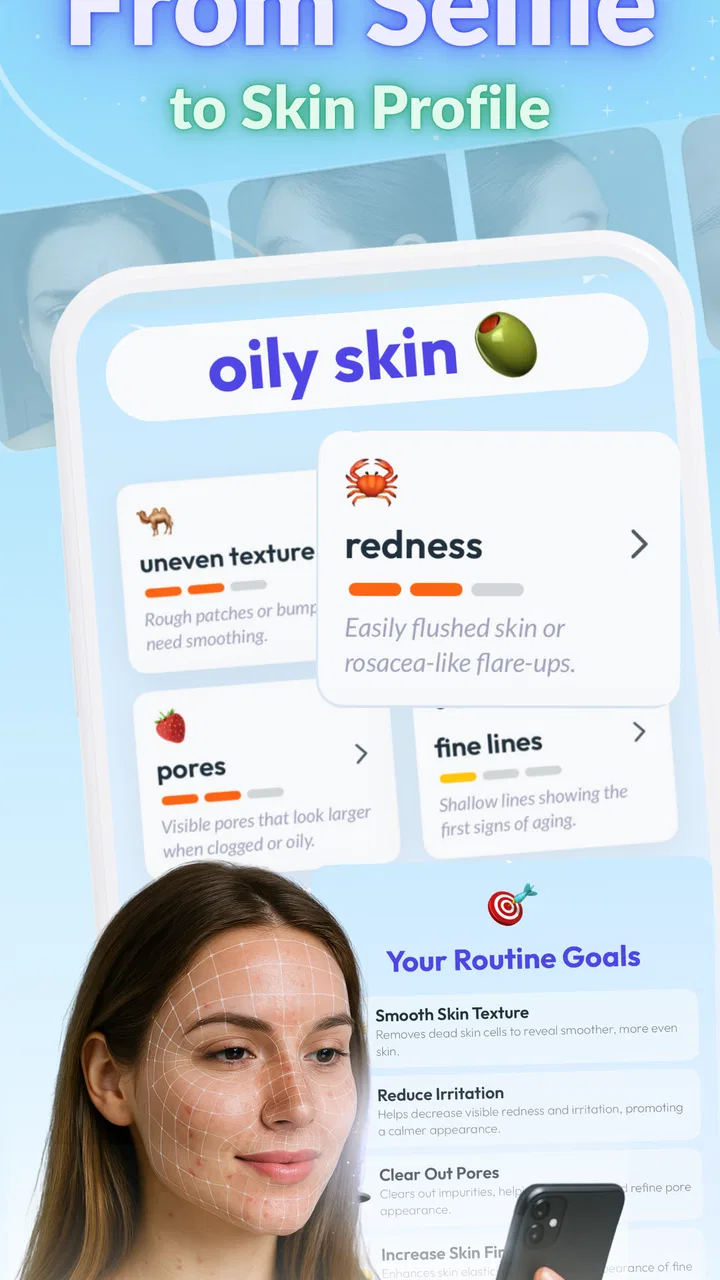
Face analysis is an appealing feature because it makes the experience feel personal. I can use it as a prompt to examine visible concerns and consider whether my routine is addressing them. It is also a convenient way to make the app feel less abstract than a general ingredient dictionary.
However, I would keep the lighting, camera angle, and timing as consistent as possible before drawing conclusions. A tired face after a late night can look different from the same face in daylight, and a close-up image may emphasize texture that I would not normally notice. That means I treat the analysis as a snapshot, not a definitive assessment.
The best use is to compare broad trends over time while keeping other conditions in mind. If I change several products, sleep poorly, or spend more time outdoors, the result may reflect those circumstances rather than the success or failure of one cream. Use the analysis to guide observation, not to diagnose a skin condition.
This is also where a professional opinion is the better option. Persistent irritation, painful breakouts, sudden changes, or suspected allergies deserve qualified medical advice. Skin Bliss can help me organize what I have tried, but it should not be the final authority for a health concern.
What happens when the app is used heavily
Light use is straightforward: checking a product, reviewing a routine, or recording a change. Heavier use happens when I scan several items during a shopping trip, revisit ingredient information repeatedly, update tracking entries, and use face analysis in the same session. That is when the app’s convenience matters most.
In those moments, I prefer to prepare before I start. I keep product names and packaging close by, use good lighting for image-based tasks, and avoid entering every item in my collection at once. This reduces friction and makes the process feel quicker. A large skincare inventory can turn organization into a project, so gradual setup is the smarter approach.
Scanning is most useful when I have a specific question. For example, I might want to know whether a new toner fits alongside the products I already use, rather than scanning every bottle simply because the option is available. That focused approach also reduces the risk of making too many changes at the same time.
On a device with limited free space or modest hardware, I would expect image-related tasks to feel more demanding than reading text or reviewing a routine. I would not judge the entire app by the slowest moment of a camera-based feature. Closing other apps, keeping the operating system updated, and allowing a little patience during analysis are sensible habits. The app supports Android 7.0 and later, so it is available to people using older compatible phones as well as newer devices.
Stability and recovering from an interrupted session
Reliability matters more here than flashy presentation. If I am recording a routine or checking a product in a store, I want to return to the task without having to reconstruct everything from memory. Skin Bliss is most useful when I use it as a regular log, so interruptions are more frustrating than they would be in a one-off browsing app.
My practical advice is to save progress in small stages rather than entering a long history in one sitting. If I am building a routine, I add the core products first, check that the information looks right, and then continue with optional details. This creates a simple recovery path if I need to leave the app, answer a call, or switch to another task.
I also avoid making an important skincare decision while rushing through a session. If a scan or analysis takes longer than expected, I would rather wait and verify the result than immediately guess. The app is intended to support thoughtful choices, and that means its value is tied to how carefully I use it.
The developer is skinbliss, and the current version is 5.0.6. That gives the app a mature feel compared with a brand-new experiment, while the release history reaches back to Aug 3, 2018. For me, the important point is not the age itself but the fact that the app has had time to develop around a clear skincare-management idea.
Battery, storage, and older-device considerations
Skin Bliss is not the kind of app I would expect to leave open all day. I use it in short sessions: while shopping, after applying products, or during a weekly routine review. That pattern naturally limits resource use compared with apps that constantly stream media or track activity in the background.
Camera and face-analysis tasks are likely to be more demanding than ordinary reading and logging, so I would avoid running them when my phone is nearly out of battery. I would also keep some storage available for normal device operation and updates. These are not reasons to avoid the app; they are sensible precautions for any tool that works with images.
Older phones may be perfectly adequate for routine notes and ingredient browsing but less comfortable for image-heavy interactions. If my device is slow, I would use the app primarily for tracking and product research, then treat analysis as an occasional feature. That division lets the useful parts remain practical without expecting older hardware to behave like a current flagship.
The app’s Everyone rating makes it approachable for a broad audience, including someone who is just learning basic skincare vocabulary. Still, younger users may need help interpreting recommendations and resisting the temptation to buy too many products. The interface can organize information, but good judgment about spending and skin sensitivity remains important.
Where it beats ordinary alternatives
The usual alternative is a notes app, spreadsheet, or paper journal. Those options are flexible, but they do not naturally connect product research, ingredient awareness, routine tracking, and face analysis. I can record that I used a serum in a note, but I would have to manually build the context around it. Skin Bliss is more convenient when I want those activities to belong to the same skincare workflow.
Another alternative is searching the web every time I encounter an unfamiliar ingredient. That can provide more depth, especially when I want clinical or professional sources, but it is slower and easier to lose track of. Skin Bliss is better for quick, repeatable checks; broader research is better when the question is medically important or unusually specific.
Dedicated reminder apps may be stronger if my only goal is receiving alarms. A simple reminder tool can be less distracting and easier to customize for any habit. I would choose that route if I already understand my products and just need notifications. Skin Bliss earns its place when I want to understand why a product belongs in my routine, not merely remember to use it.
The app is also more useful for people who enjoy learning about formulations than for someone who wants a single automatic answer. Its strength is combining information with personal tracking. Its weakness is that the more thoughtful the user needs to be, the less it behaves like a one-tap solution.
Who should use it, and who should skip it
I would recommend Skin Bliss to beginners who feel lost among skincare claims, shoppers who want to inspect ingredients before buying, and experienced users who need a clearer record of what they apply. It is also a good fit for anyone trying to simplify a crowded bathroom shelf, because tracking can expose repetition and make product rotation more deliberate.
I would be more cautious about recommending it to someone who expects a diagnosis, instant certainty, or a completely automatic routine. Face analysis cannot replace an appointment, and ingredient information cannot predict exactly how every person will react. People with very reactive skin should introduce products slowly and patch-test appropriately rather than relying on an app’s interpretation alone.
It may also be the wrong choice for someone who dislikes logging. The app’s benefits grow when I keep it updated, but that requires a small amount of ongoing effort. If I know I will abandon tracking after a few days, a simpler routine and a basic note may serve me better.
The free entry point makes it easy to try without committing immediately. Optional purchases are available, so I would explore the core workflow first and decide whether any paid item genuinely improves the way I manage skincare. I would not pay simply to unlock more complexity; the purchase should solve a specific problem I actually have.
My performance verdict after regular use
Skin Bliss feels fastest when I use it for focused tasks: checking one product, reviewing a short routine, or recording a single change. It becomes less effortless when I try to catalogue an entire collection or expect image-based analysis to answer a complicated question. That distinction is important because the app rewards a measured workflow rather than frantic, all-at-once setup.
In terms of stability, I value its role as a repeatable organizer more than its novelty features. I can return to the same routine, compare my choices, and build a more informed habit. The app’s performance also depends on the phone: newer devices should make camera-based interactions more comfortable, while older compatible hardware may be better suited to text and tracking.
My strongest tip is to use it as a controlled log. Start with the products you already use, change one meaningful thing at a time, and write down enough context to remember what happened. My second tip is to treat scans as a starting point for judgment, not permission to buy. My third is to keep face-analysis sessions consistent in lighting and timing so that comparisons are less misleading.
After weighing those strengths and limitations, I see Skin Bliss as a thoughtful beauty app rather than a replacement for professional care or personal experience. It gives me a practical way to connect ingredients, routines, product choices, and visual observation, while still leaving the important decisions in my hands. If you want a structured skincare companion and are willing to participate in the process, I think it is worth trying. If you only need reminders or medical guidance, a simpler or more specialized alternative will probably serve you better.
Overall, the app succeeds because it turns scattered skincare decisions into a routine I can review. Its best result is not a dramatic promise of perfect skin; it is helping me become more consistent, more selective, and less impulsive. For everyday skincare, that combination of organization and ingredient awareness is its real strength.
FAQs for Skin Bliss: Skincare Routines
01What features does Skin Bliss offer for skincare routines?
Skin Bliss provides personalized skincare routines tailored to your specific skin type and concerns. The app analyzes your skin condition through a detailed questionnaire and suggests products and practices to enhance your skincare regime. It also includes a product ingredient checker, allowing users to understand the effects of different components in their skincare products.
02How does Skin Bliss personalize skincare recommendations?
Skin Bliss personalizes recommendations by gathering information about your skin type, concerns, and goals through an initial assessment. The app uses this data to curate a routine that aligns with your unique needs. It adjusts recommendations over time as your skin evolves, ensuring you always have the most effective skincare regimen.
03Is Skin Bliss suitable for all skin types?
Yes, Skin Bliss is designed to cater to all skin types, including sensitive, oily, dry, and combination skin. The app's comprehensive database and intelligent algorithms ensure that users receive appropriate advice and product suggestions based on their individual skin characteristics and needs.
04Can Skin Bliss help me identify harmful ingredients in products?
Indeed, Skin Bliss features an ingredient checker that helps users identify potentially harmful ingredients in skincare products. By scanning product barcodes or entering ingredient lists, users receive detailed information about each component, including its safety and potential effects on their skin health.
05Does Skin Bliss require a subscription, and what are the benefits?
Skin Bliss offers both free and premium subscription options. The free version provides basic skincare recommendations and access to some features, while the premium subscription unlocks advanced features such as detailed ingredient analysis, expanded product recommendations, and personalized consultations with skincare experts.
Pros
- Comprehensive ingredient analysis tool.
- Personalized skincare routine suggestions.
- User-friendly interface and design.
- Access to a vast product database.
- Regular updates with new features.
Cons
- Limited offline functionality.
- Some features require premium access.
- Occasional minor bugs in the app.
- Not all products have user reviews.
- Requires a stable internet connection.

Skin Bliss: Skincare Routines
Gallery